How to share wedding photos with guests: which way fits you?
Send your photographer's gallery link, use Google Photos or WeTransfer for free, or put pro and guest photos in 1 album from $49. Prices checked Oct 16, 2026.


Bottom line: If your photographer delivered an online gallery, send guests that link, at no extra cost to you. Google Photos and WeTransfer pass on a selection for free. To put the photographer's favorites and your guests' own photos in 1 album, QR Album starts at $49. Prices checked October 16, 2026.
Which way fits you?
- Your photographer delivered an online gallery on Pixieset, Pic-Time or similar: send guests that link. Your photographer decides what they can download.
- You want to pass on a selection for free: a shared Google Photos album, or a WeTransfer link for a one-time download.
- You want everyone's photos in one place, the photographer's favorites next to your guests' snapshots, with likes and comments: QR Album is the best fit.
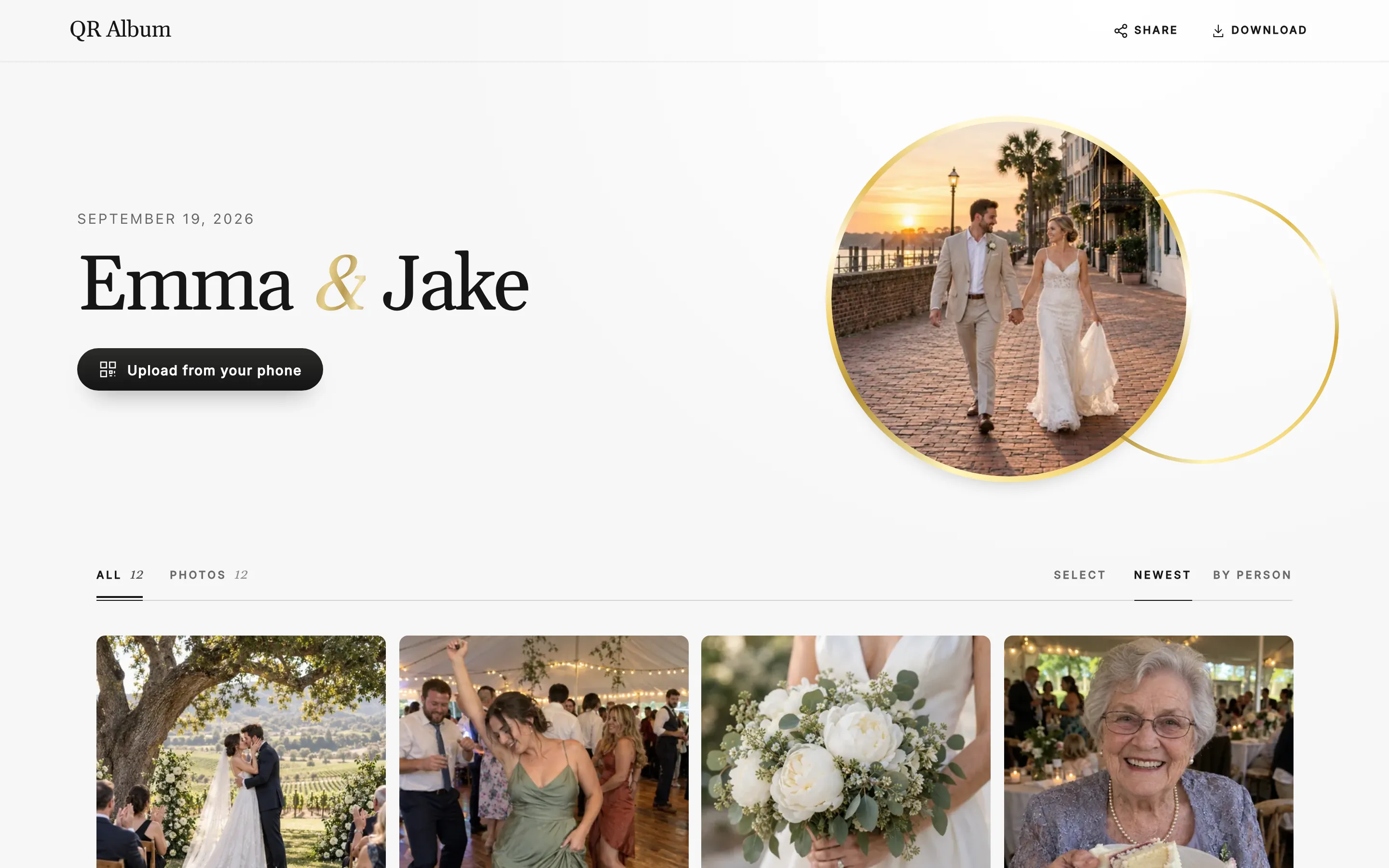
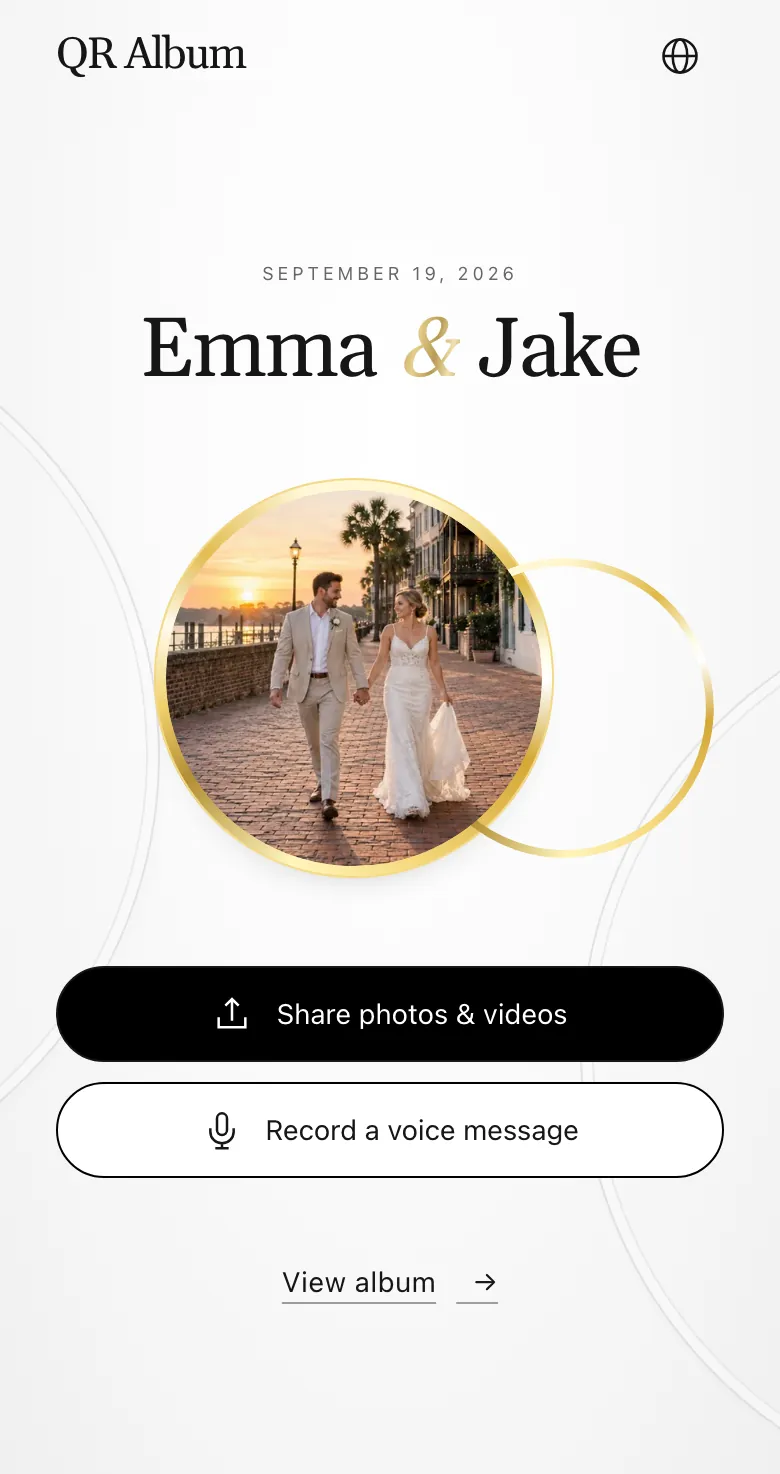
QR Album: pro and guest photos in one album
- Add your favorites yourself: open your album's guest link or scan your own QR code and pick the photographer's photos, many at once.
- Everyone adds theirs: guests upload photos, videos and voice messages through the same link. No app, no sign-up.
- Public or password-protected: guests like and comment. Turn on downloads, and they save 1 photo, a selection or everything.
- Quality, honestly: photos are optimized to 2,560 pixels on the long side, videos stay as uploaded. For full-resolution prints, keep your photographer's gallery.
Your photographer's gallery: Pixieset or Pic-Time
- Strength: every edited photo behind 1 link. Pic-Time's guest link works without an account, unless your photographer requires one.
- Downloads: your photographer decides. Pixieset can switch downloads on or off, set the size and ask for a 4-digit PIN first.
- Limit: the photographer sets the expiry date, and neither help center describes guests adding their own photos.
Free: Google Photos or WeTransfer
- Google Photos: anyone with the album link can view and add photos. It's free, but everything counts toward your 15 GB of Google storage.
- WeTransfer: the free plan sends up to 3 GB a month, and links expire after up to 3 days. Guests download once, with no album to return to.
- Pro tip: send a short list of favorites, not the whole gallery. It's quicker for guests to open and save.
When the photos arrive, and when to share them
- Typical wait: in a Shotkit survey of 1,850 photographers, most delivered within 2 to 4 weeks. WeddingWire puts the usual range at 4 to 6 weeks.
- Sneak peek first: some photographers send previews within a week. Share those right away.
- Ask before the wedding: may guests download, and in which size? Your contract decides.
- Send the link with your thank-you notes: guests get the photos while the day is still fresh.
What each option costs
- No extra cost: your photographer's gallery link, Google Photos and WeTransfer's free plan.
- Pro and guest photos in 1 album: QR Album from $49, paid once.
Photographer's gallery (Pixieset, Pic-Time)
- Price
- Paid by your photographer
- What you get
- The edited gallery until your photographer's expiry date. Downloads are their call.
Google Photos · WeTransfer
- Price
- Free
- What you get
- Google: 15 GB per account. WeTransfer Free: 3 GB a month, links last up to 3 days.
QR Album
- Price
- $49 · $79 · $99 one-time
- What you get
- Online for 3, 6 or 12 months. $79 adds a live photo wall, $99 voice transcripts.
The photographer's gallery only holds the photographer's photos. Google Photos keeps everyone's photos together for free but fills your storage. QR Album adds voice messages and a password, from $49, paid once. Details are on the pricing page.
Questions, answered
Can guests download photos from our photographer's gallery?
Only if your photographer allows it. Pixieset and Pic-Time let the photographer switch downloads on or off and choose the size.
Can guests add their own photos to the photographer's gallery?
Neither Pixieset nor Pic-Time describes guest uploads in its help center. For guests' snapshots, use a shared album like QR Album or Google Photos.
Do guests need an app or an account?
Not for QR Album: guests open a link or scan a QR code in their browser.