Keep the album private afterwards
Download everything first. Then turn “Album link” off under Album → Sharing: the link stops showing anything, and you can turn it back on whenever you like. If family should keep access, add an album password instead.
Turning the album off doesn’t stop uploads. To end those, archive the event — that closes the upload page right away but leaves the album viewable, and it can’t be undone from the dashboard. Only deleting the event removes the files.
Why the download comes first
With the files on your own drive, every remaining decision is low-risk. Turning the album off, adding a password, or archiving all leave your media in place — but the storage period runs out on its own, and deleting the event is permanent.
So save first, then close. The other order works too, but it leaves a stretch where the album is closed and you don’t have the files yet.
- Download the album. Everything after this can be changed again. Not having the files can’t.
- Turn “Album link” off. Under Album → Sharing. The link then shows nothing at all, to everyone.
- Archive the event when you’re done collecting. Under Settings, choose “Archive event.” New uploads stop immediately; this step is one-way.
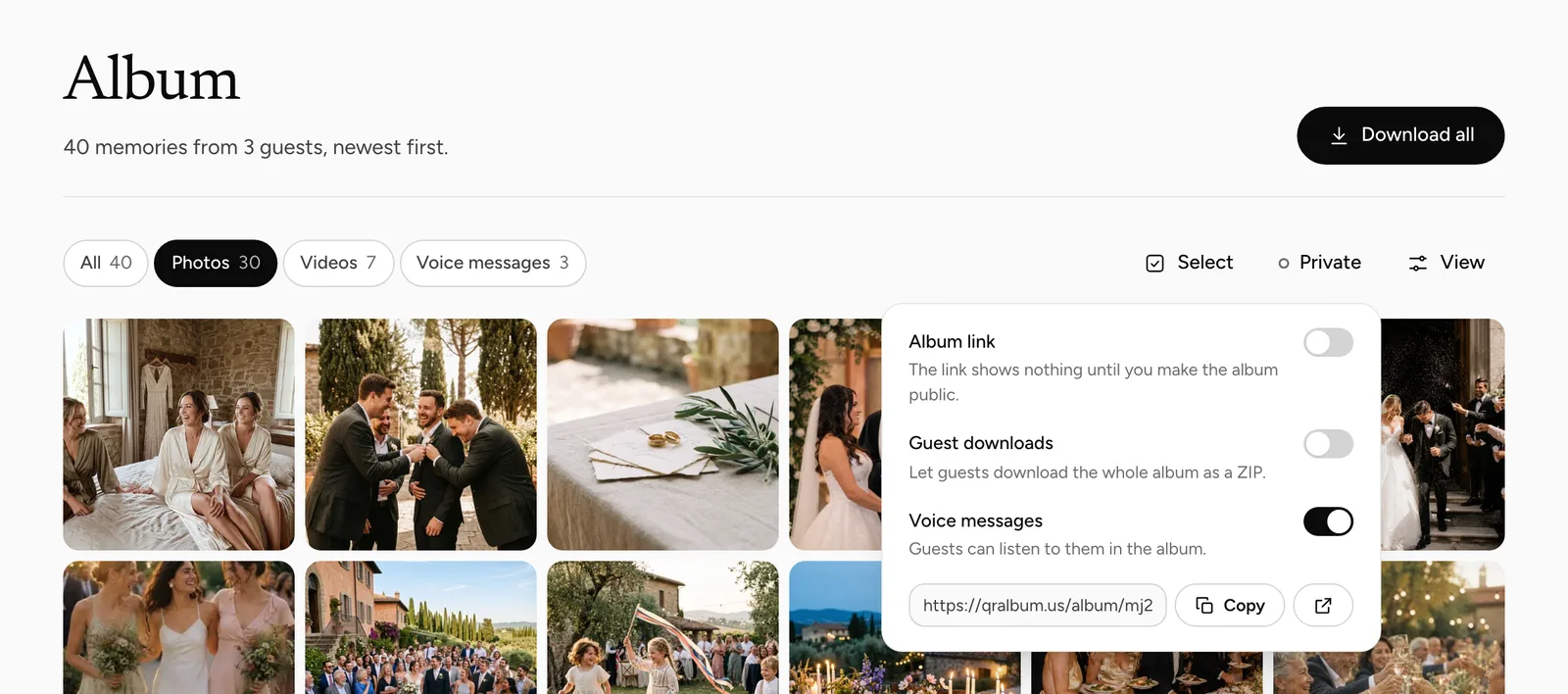
Turning the album off
Turn “Album link” off under Album → Sharing, and anyone holding the link — including the live wall — sees nothing at all, not even an explanation. Guests who were told to look will think the album is broken unless you tell them what you did.
It’s fully reversible: turn it back on and everything is visible again exactly as before. You keep seeing and downloading everything in the dashboard either way.
A password instead of off
If the album should stay reachable for family but not for everyone who was ever handed the link, add an album password. It needs at least 4 characters and applies to everyone, including people who saw the album before you set it.
Send the password in the same message as the link. A second message gets lost.
Stopping new uploads
Turning the album off or adding a password controls viewing, not uploading: the upload page keeps accepting files. To stop uploads, archive the event under Settings (“Archive event”). The upload page and any open upload pages stop working at once.
Archiving doesn’t hide the album, and it can’t be undone from the dashboard. Leave the event open for a few days first — the second wave of uploads comes from people who were too busy on the night.
Each step at a glance
The steps answer different questions — who can upload, who can view, and whether the files stay at all — which is why they’re separate. Most hosts only need the first 2: download, then turn the album off.
If you’re unsure, pick the step you can undo.
| Step | Stops uploads | Stops viewing | Can be undone |
|---|---|---|---|
| Download everything | No | No | Not applicable |
| Turn “Album link” off | No | Yes, for everyone | Yes |
| Add an album password | No | For anyone without it | Yes |
| Archive the event | Yes, immediately | No | Not in the dashboard |
| Delete the event | Yes | Yes | No |
Only deleting removes anything. Viewing and uploading are controlled separately.
Tell people what you did
A guest who taps a link and sees nothing assumes something broke. One line prevents a week of messages: the album is closed now, and here’s where the photos went.
If you’re handing the album over to someone, tell them when its storage period ends. That date is theirs to plan around.
Or let it run out
The album also ends on its own when your plan’s storage period runs out. The files are deleted 14 days after that, and you get reminders 14 days, 3 days, and 1 day before. For a private party among people you know, letting it run out is a perfectly reasonable plan.
The 1 thing that isn’t optional is the download. It’s time-limited in a way none of the switches are.
Common questions
What should I do first?
Download everything. Every switch after that can be changed again.
Does turning the album off stop uploads?
No. Viewing and uploading are separate. To stop uploads, archive the event.
What does a guest see once the album is off?
Nothing at all — no photos, no message, and the live wall stays empty too.
Can I reopen the album later?
Yes, if you only turned it off. Archiving can’t be undone in the dashboard, and deleting can’t be undone at all.
Do I have to do anything at all?
Only the download. The album ends on its own when the storage period runs out.
Download everything
Step one, before you close anything.
Is your album private?
Which settings control who sees the photos.
How long media is kept, and when it goes
The storage period and the 14 days after it.
Delete an event, and what goes with it
The one step that can’t be undone.
A guest album for a party
Open on the night, closed when you say.
Guests say the link is broken
That’s what a switched-off album looks like. Send us the event name if it should still be open.